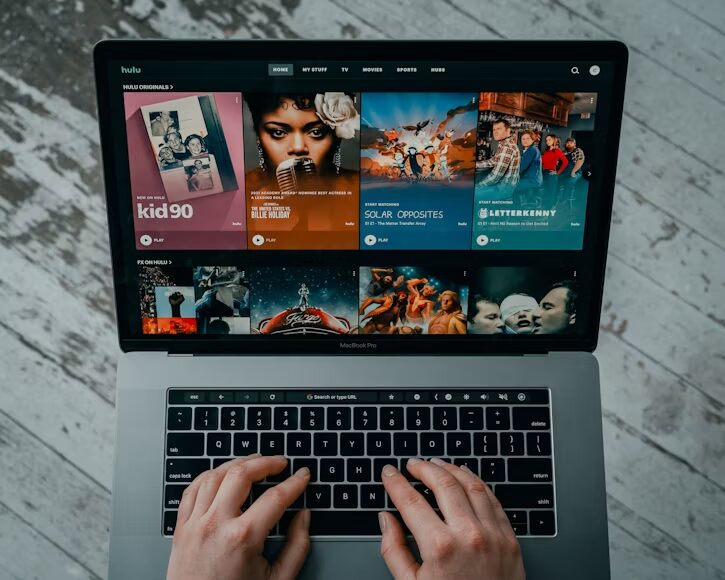
Ever tried streaming a 4K video on a laptop that just can’t keep up?
Pixelated angles, stuttering frames, buffering… and nowhere to hide. Streaming has become hyper competitive, and now 4K IS the standard for high-end content. If you’re looking to take your adult streaming game to 4K you NEED a laptop that can keep up. Far more important than most care to admit. When you’ve got the right tech, you can stream:
- Smooth 4K playback with zero stutter
- Sharp visuals with true colour accuracy
- Silent cooling during long viewing sessions
The wrong one will drain your battery, overheat, and make everything look washed out.
Time to break it all down…
Here’s the game plan:
- Why 4K Streaming Demands Better Hardware
- The Rise of AI Character Design
- Key Specs Your Streaming Laptop Needs
- Display: The Most Important Feature
- Storage, Cooling & Battery Life
Why 4K Streaming Demands Better Hardware
4K streaming is nothing like regular HD streaming.
It has four times the amount of pixel information as 1080p. Your computer has to process 4 times as much data to decode, process and display it seamlessly. Netflix and other streaming services advise at least a 25 Mbps download speed.
But bandwidth is only half the story.
Your laptop hardware needs to handle:
- Real-time video decoding at high bitrates
- HDR colour processing
- Consistent frame delivery at 60fps
Without the right specs, even blazing-fast internet won’t save the day.
Adult streaming services aren’t messing around when it comes to high resolution media. As the adult entertainment industry hit $71.63 billion worldwide in 2025 content providers are investing big into 4k and even 8k libraries. Streamers will need computers that can handle it.
The Rise of AI Character Design
Something huge is shaking up the adult content world right now…
AI character design is changing everything.
Instead of merely streaming pre-existing videos people can now create personalized characters scenes and animations on demand. Today’s platforms allow you to generate custom AI models with whatever traits styles and details you desire. This technology is exploding in popularity as it allows consumers to create as well.
Here’s why this matters for the laptop choice:
- AI character design tools use heavy GPU processing
- Rendering happens in real-time and needs solid graphics power
- Streaming AI-generated 4K content demands the same specs as regular 4K
While some AI character design software operates in the cloud, other applications allow users to locally run models privately. Local generation requires significantly more GPU processing power than streamed generation. Most A.I. tasks will run smoothly on laptops with VRAM of 8GB+.
Weak graphics will gasp for air on playback AND creation. So when buying, AI character design capabilities should be factored into your decision. That functionality will only become more mainstream, so future-proofing now is key.
Key Specs Your Streaming Laptop Needs
Not every laptop can handle 4K streaming properly.
Here are the specs that actually matter:
CPU — Intel Core Ultra 7, AMD Ryzen 7 (or better). These processors are the top pick because they have no problem decoding 4K content.
GPU — Having a dedicated graphics card helps a ton. NVIDIA RTX 4060 or higher is recommended as a baseline. Onboard graphics can technically stream 4K but will choke on higher bitrate videos and AI art programs.
RAM — 16GB is minimum these days in 2025. 32GB lets you multitask or use AI generation tools while streaming.
Wi-Fi 6E or Wi-Fi 7 – Streaming in 4K requires huge amounts of data. Previous Wi-Fi standards created a huge bottleneck that will kill your stream quality.
Skimping on any of these creates problems down the road.
Display: The Most Important Feature
Here’s the truth most buyers miss…
Arguably the most important aspect of a streaming laptop is its display. Why would you want to stream 4K videos onto a screen that isn’t 4K compatible? You wouldn’t.
Look for these display features:
- 4K resolution (3840 x 2160) — Non-negotiable for actual 4K playback
- OLED panel — Pitch-black blacks and vivid colours
- 120Hz refresh rate — Smoother motion, better viewing
- HDR support — Brighter highlights, richer shadows
- 100% DCI-P3 colour gamut — Punchy, accurate colours
OLED displays have gotten significantly cheaper over the past two years. Entry level 4K OLED gaming laptops start under $1,800 now. Compared to even a few years ago, that’s significantly lower.
Screen size is important as well. Anything around 15 or 16 inches is ideal for getting lost in 4K content without making the laptop ridiculously heavy. You really can’t appreciate going below a 14 inch screen with 4K resolution.
FYI: Matte screens aren’t recommended when streaming in a well lit room. Glossy or semi-glossy displays help reduce glare and eye strain while streaming for long periods of time.
Storage, Cooling & Battery Life
Streaming 4K video produces massive amounts of heat. It also consumes storage quickly if files are being downloaded.
Storage recommendations:
- 1TB NVMe SSD minimum
- 2TB is ideal for downloading 4K files
- Fast read/write speeds (over 3000 MB/s)
4K videos files take up a lot of room. You can go through 30GB or more for just one 4K film.
Cooling matters more than most people realise.
Streaming in 4K for extended periods will heat up a laptop very quickly. Inefficient cooling leads to thermal throttling. The CPU and GPU will reduce their speed to prevent themselves from damage. This destroys stream quality. You want laptops that have:
- Dual fan cooling systems
- Vapour chamber cooling on premium models
- Smart vent placement
Battery life is something else to consider. Streaming in 4K will chew through your battery extremely quickly. Most gaming laptops offer about 2-4 hours of battery life while streaming video in 4K. Make sure you have your charger handy for long gaming sessions or choose a laptop with a bigger battery.
Bringing It Home
Streaming 4K porn right isn’t possible without the correct gear. Here’s a review of what you’ll need:
- Intel Core Ultra 7 or Ryzen 7 CPU (or better)
- Dedicated GPU (RTX 4060+)
- 16GB+ RAM
- 4K OLED display with HDR
- Wi-Fi 6E or 7
- 1TB+ NVMe SSD
- Solid cooling system
Adult content creation is becoming more prolific and tech-driven than ever. AI character generators are now commonplace and 4K streaming has become standard. Investing in the proper laptop for your needs is essential.
Streaming quality standards get more impressive every year. Premium resolutions in 2020 are baseline in 2026. Buy a laptop that will still have buttery smooth performance in three or four years.
Buying cheap gear = grainy images, choppy playback, and headaches galore. Splurge on the proper specifications = buttery smooth streaming, brilliant colors, and decades of worry-free enjoyment.
Research. Choose your specs. Experience everything in beautiful 4K.